
Check an app idea with Niche Explorer
See how crowded a niche is, who you would compete with and what launched lately.
Before you build, find out who is already there. Niche Explorer reads the apps we hold for your idea and tells you whether there is room.
Type your idea
Use the words a person would type in the store: “sleep sounds”, “expense tracker”, “word puzzle”. Two or three words work best. Press Check niche.
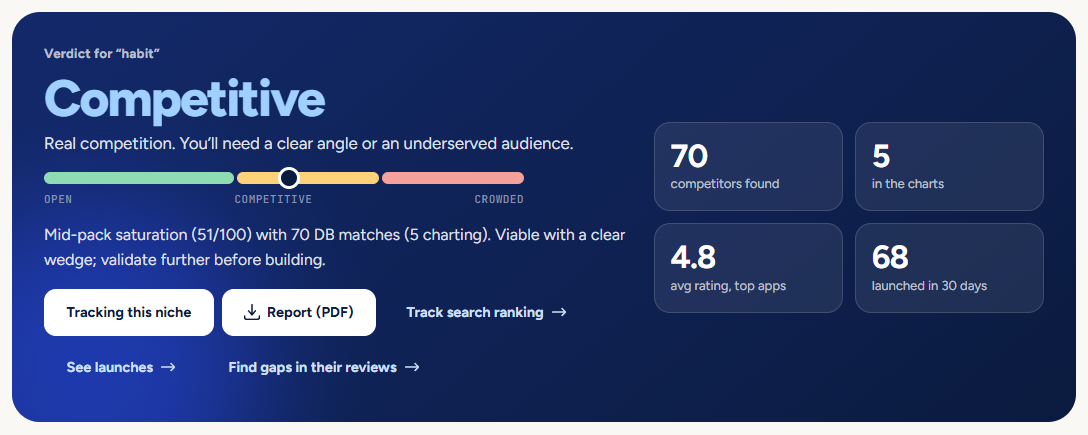
Read the verdict
Room to enter means few strong rivals. Competitive means real competition, so you need a clear angle. Crowded means strong apps in the charts already own it. The marker on the bar shows where the niche sits from open to crowded.
Look at who you would compete with
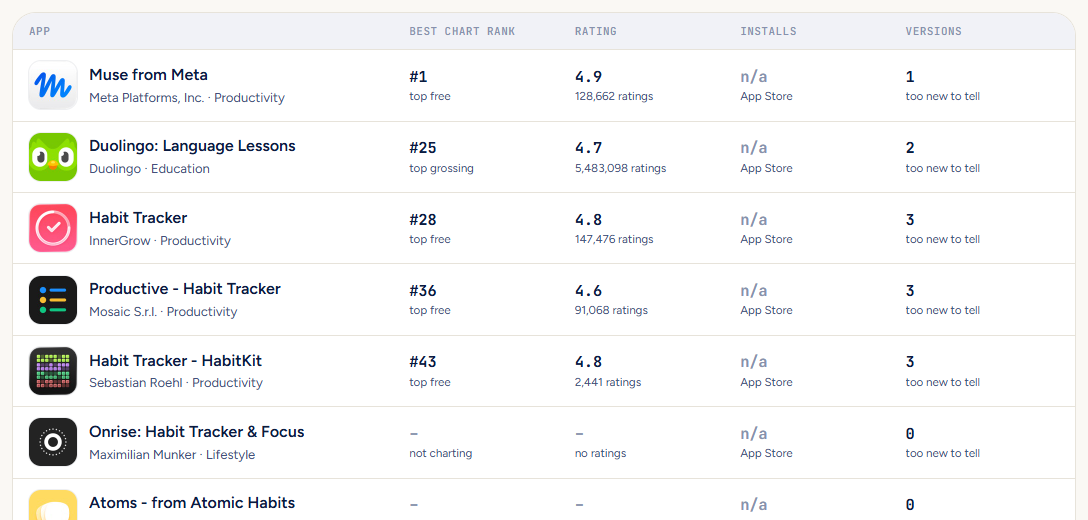
The table lists the strongest matching apps with their best chart rank, rating, Google Play installs and how often they update. Many apps that have not been updated for a long time are a sign of an opening.
See what is new
“New in this niche” shows apps that launched in the last 30 days. Lots of new apps means others see the same chance; an amber “soft launch” tag means a studio is testing in a few countries first.
Keep it
Press Track this niche to follow it on your dashboard and in your morning email. Press Report (PDF) to save the whole check as a document you can print or send.
Narrowing it down
Open Narrow it down under the search box to look at one store, only games or only apps, one category or one country. Tick “Also check the App Store live” to add a fresh look at the store’s own search results.
Next: see how new apps in a niche actually did on Gaps, or read what users complain about with the review gap finder.
Pictures show a demo account. The names and numbers in them are examples, not live data.
Next guideSee every new app, day by dayUse Launches to browse what came out today, filter it and go back in time.