
Track your own app and your competitors
Mark your app, pick competitors and see everything they change on one timeline.
Tracking is where the apps, developers and niches you follow live. Start by telling IndieTower which app is yours.
Add your app
On Tracking → Apps, type its name under “Which app is yours?”, press Find my app and pick it from the list. If we do not hold it yet, we look it up on the App Store and Google Play while you wait.
Mark it as yours
An app you saved earlier can be marked too: open the menu (•••) on its row and choose This is my app. It moves to the top with a “Your app” tag.
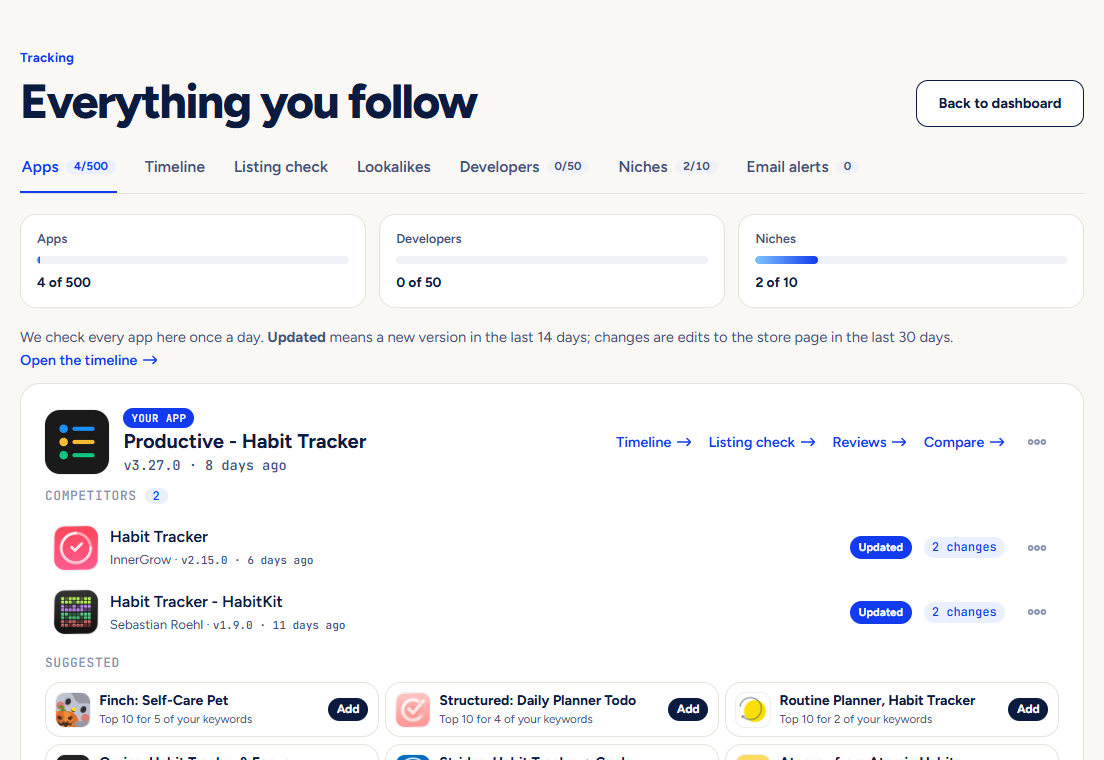
Add competitors
Under “Suggested”, IndieTower lists likely competitors: apps that rank for your keywords and apps in your category with similar names. Press Add on the ones that matter.
Open the Timeline
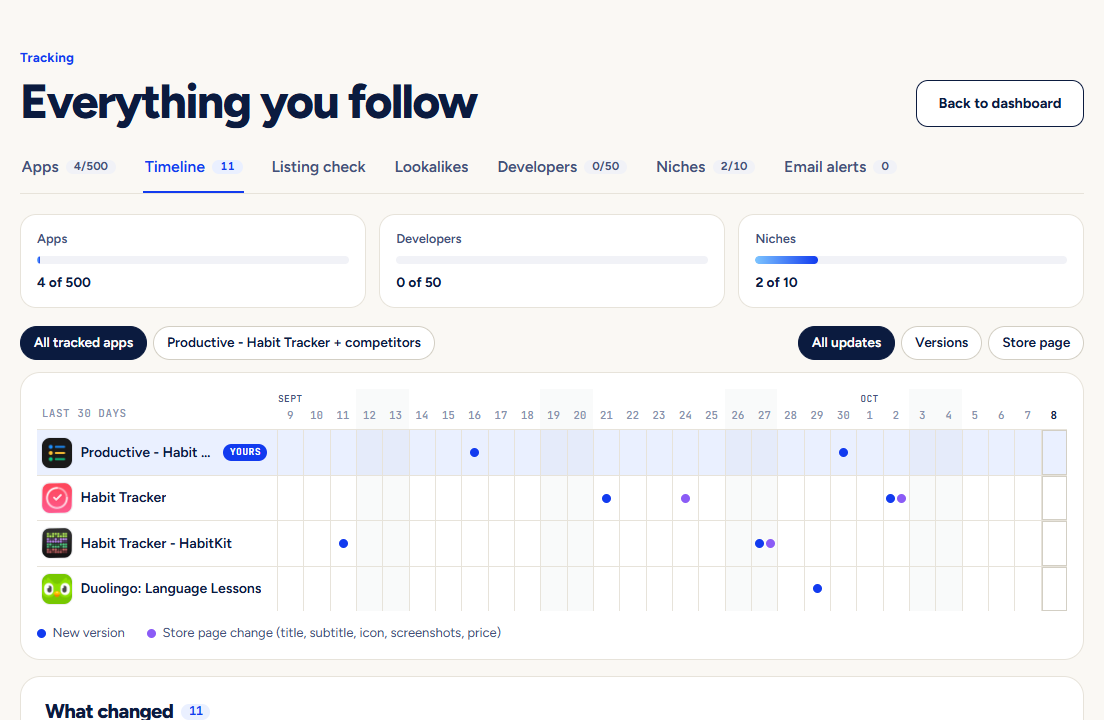
The Timeline tab is a 30-day grid with one row per app. A mark means that app shipped a version or changed its title, subtitle, icon, screenshots or price that day.
What else you can follow
- Developers: press Follow on a developer’s page to hear about their next launch.
- Niches: the words your dashboard and morning email are built from.
- Email alerts: an email when an app you watch ships an update.
Plans: Free saves 2 apps, Indie 50, Studio 500. If a limit is lowered, nothing you already track is removed.
Pictures show a demo account. The names and numbers in them are examples, not live data.
Next guideImprove your store page with Listing checkA score and a list of fixes for your title, subtitle, description and screenshots.