
Morning email and alerts in Slack, Discord or Telegram
Choose how and when IndieTower tells you something changed.
The morning email
Switch it on
In Settings → Emails, turn on the Daily digest and choose the hour. It follows your own time zone.
What is in it
New apps in your niches, saved apps that changed, launches from developers you follow and breakouts in your niches. On a day with nothing new, no email is sent.
Stop it
Use the unsubscribe link at the bottom of any digest, or switch it off in Settings.
Chat alerts
On a paid plan, alerts can also go to a chat channel the moment something happens.
Slack or Discord
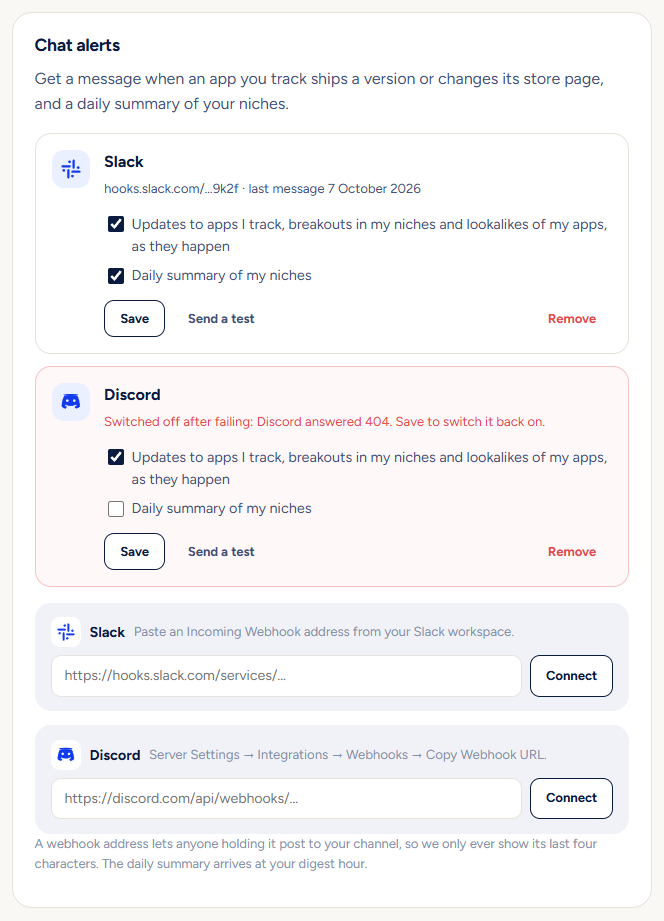
In your Slack or Discord, create an “incoming webhook” for the channel you want and copy its address. In Settings → Chat alerts, paste it and press Connect. We send a hello message to make sure it works.
Telegram
When Telegram is offered in Settings, press Connect Telegram, then Open Telegram and start the chat with our bot. That is all.
Choose what you get
Instant alerts cover new versions and store page changes of your saved apps, breakouts in your niches and lookalikes. The daily summary is the morning email’s content as a message.
Plans: Indie connects 1 channel, Studio 5.
Pictures show a demo account. The names and numbers in them are examples, not live data.
Next guideConnect Claude, ChatGPT or another AI assistantLet your own assistant look things up in IndieTower while you work.