
Plans, payments and cancelling
How to choose a plan, change it, cancel it and find your invoices.
Choose a plan
On Pricing, switch between monthly and yearly and press the button under the plan you want. The “Compare every feature” table shows exactly what each plan includes.
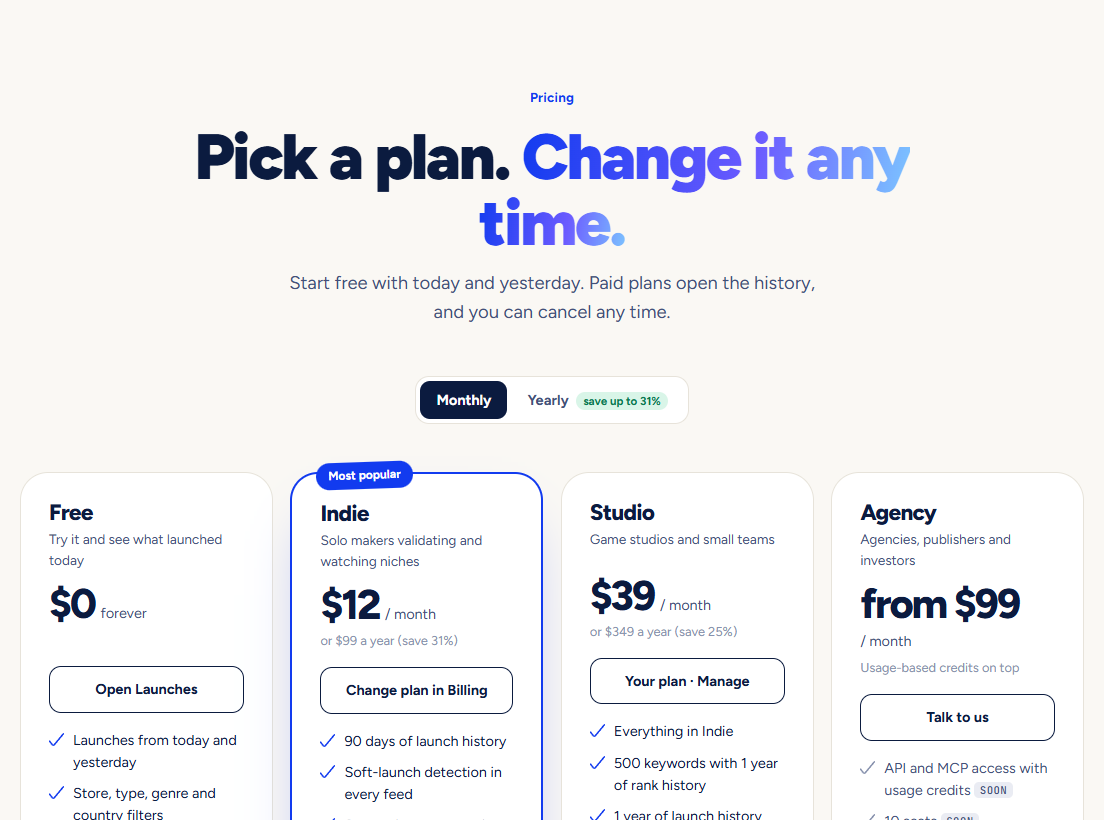
Pay
Payment happens on a secure page run by Dodo Payments, our payment partner. We never see your card number. Your plan is active as soon as you come back.
Manage it
Open Billing and press Manage billing for invoices, your payment method, changing plan or cancelling.
Cancelling and refunds
- You can cancel at any time. You keep the plan until the end of the month or year you already paid for, then the account goes back to Free.
- Payments are not refunded. That is why there is a Free plan: you can look around for as long as you like before paying. The full wording is in the Refund policy.
- Nothing you saved is deleted when a plan ends. You just cannot add more than the Free plan allows.
Your account
- Change your name, niches, countries and emails in Settings.
- Delete your account yourself at the bottom of Settings. Cancel a running plan first so you are not charged again.
- What we collect and why is in the Privacy policy.
Pictures show a demo account. The names and numbers in them are examples, not live data.
Next guideWhat the numbers mean, and where they come fromWhich figures are the stores’ own, which are our estimates, and how fresh they are.