

BEEZZ: Home budget & expenses
Screenshots
About
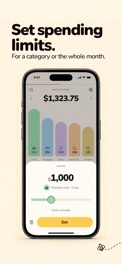
Your spending records itself - you just confirm. Say what you spent, out loud in Polish - “wydałem 30 zł w Biedronce” - and it is done. On Plan BEEZZ, contactless Apple Pay payments turn into ready-made entries on their own. A household budget in a minute a day. WHY BEEZZ? Most household budget apps die after a week, because typing every expense by hand is boring. In BEEZZ an entry comes from one sentence or from a payment, and all you do is confirm it. That is the whole thing. VOICE ENTRY IN POLISH - FREE “Wydałam 120 zł w Lidlu i 60 zł na Orlenie” - BEEZZ picks several expenses out of a single sentence, splits the amounts and suggests the categories. It also understands “yesterday”, “last Tuesday”, “two coffees at 14 zł each” and the Polish slang for round amounts. Perfect for getting home from the shops with a child in your arms. Dictation is free and unlimited. BEEZZ speaks Polish - both the interface and the voice recognition. EXPENSES FROM APPLE PAY (Plan BEEZZ) Paying with your iPhone or your watch at a terminal? BEEZZ takes the amount and the merchant from Wallet and hands you a finished expense with a category - you approve or reject it with one tap. Setup is three steps, with instructions and a film inside the app. Important: Wallet passes on contactless payments only. Purchases made online or inside apps cannot be caught this way - an Apple limit, not a BEEZZ one. You add those by voice. A BUDGET THAT UNDERSTANDS YOUR MONTH • The month runs from payday, not from the 1st • “This is what you can still spend” - a real figure on the dashboard, free • Limits per category, including your own (for example “Food - kids”) • Recurring charges with a cadence of their own: monthly, quarterly, fortnightly • A summary of every month, and a weekly report on what is eating your money (Plan BEEZZ) ONE BUDGET FOR THE WHOLE FAMILY One household budget, everyone’s spending in one place, no more “what did you spend it on?”. Two people fit in the free plan; Plan BEEZZ raises that to four. NO SIGN-UP FORM You start straight away - no email, no password, no account to create. You secure it later with a single tap through Apple. Privacy Policy: https://beezz.app/privacy Terms of Use (EULA): https://www.apple.com/legal/internet-services/itunes/dev/stdeula/ Beezz Terms: https://beezz.app/terms Contact: privacy@beezz.appRead more
Store page changes
Title, subtitle, icon, screenshots and price- Screenshots changed4 Oct 2026 · PolandBefore · 10


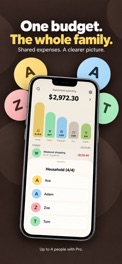

 After · 10



- Icon changed4 Oct 2026 · Poland


Versions
- Version 3.3.0Update · 4 Oct 2026
Dark mode • Beezz has a dark mode, a navy one. By default it follows your phone - in Settings, the "Dark mode" row turns it on or off for good. • Category colors stay the same by day and by night. Dashboard and forecast • Tap the dashboard total: after spending and balance comes the running balance - income minus spending for this month and every one before it. It replaces the balance after savings. • With a limit you set yourself, the forecast counts spending only: money put aside and goals no longer eat into the limit. It is the same figure as the bar on top of the dashboard. • The forecast…
- Version 3.2.0First seen · 30 Sept 2026
Limits • A thin bar along the top of the dashboard shows how much of the monthly limit is gone, and a tick how much of the month is. Past the limit, the bar changes color. Only a limit you set yourself counts (hold the dashboard total) - never the sum of your category limits. • On Plan BEEZZ, subcategories take limits too: tap a category's bar on the dashboard, then the subcategory. Underneath, you'll see what is left. • A limit above the whole monthly limit, or above its own category's? Beezz says so under the amount - and still saves what you typed. • Editing an amount starts over: the first…
Countries
Seen in 2 countries
Countries where IndieTower has seen this app in charts, search or store pages.


